

If a YouthBuild student is also an AmeriCorps Member, you can enter their slots and hours on the AmeriCorps Slots Page located on the Student Menu. (If this young person is doing AmeriCorps only, please see Adding Other Participants.)
To Add an AmeriCorps Slot
Click +Add AmeriCorps Slot. Then enter the AmeriCorps enrollment date. This should be the day they started earning AmeriCorps hours, noting it may or may not be the same as their YouthBuild enrollment date.
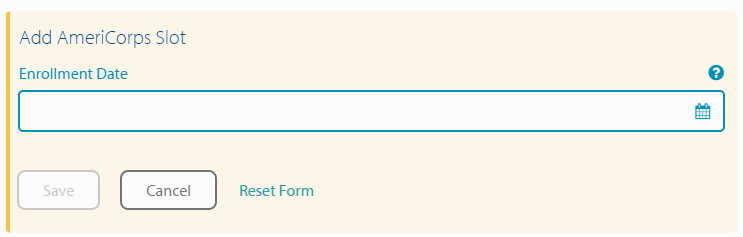
Next, available slot types appear based on the grant year of the AmeriCorps enrollment date. Choose the slot type and click Save.
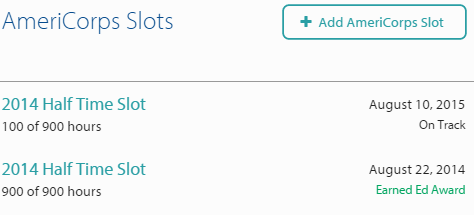
Slots are added to your program in DYB by your YouthBuild Global AmeriCorps Portfolio Manager. If your slot types or quantities need to be updated, talk to your Portfolio Manager.
Note: If this student is an AmeriCorps re-enrollee (i.e.: doing more than one term), just add another slot in the same way. It is easy for student records to have two slots or more - there is no need to re-enter a student!
To Edit an AmeriCorps Slot
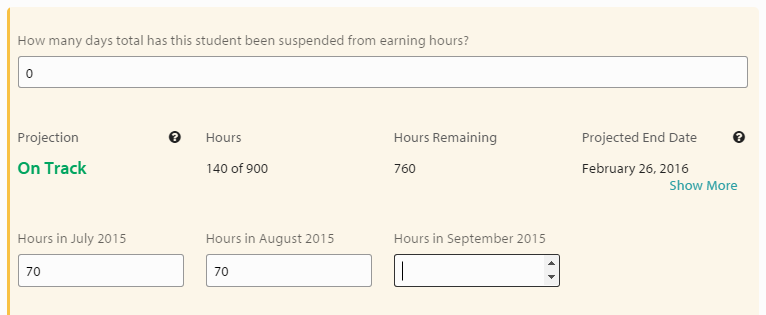
After you have assigned an AmeriCorps slot to a member, click on that slot to enter monthly service hours and other important information. On the first of each month, a new space will appear to enter that month's hours. Total hours and hours remaining will automatically update.
Once you have begun to enter hours, you can see whether the student is on track to finish their service on time with their projected end date. Visit How is an AmeriCorps Slot Calculated to be On Track if you would like to learn more about this feature.
To Select the Member’s Primary Service Activities
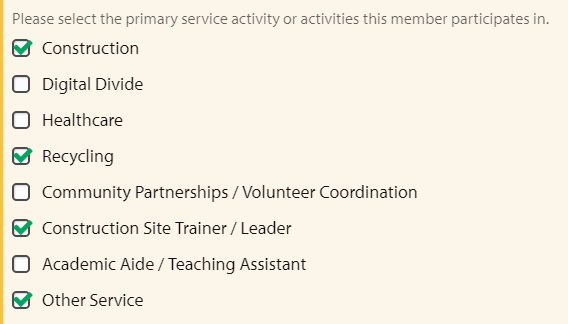
You will also be asked to select the Primary Service Activities according to the pre-approved primary service categories:
To Remove a Slot
If a slot was added to a student in error or if the student was determined to be ineligible for AmeriCorps, click Remove Slot located to the bottom right of the page and then Confirm Delete.
To Cancel a Slot
If a student is unsuccessful in their pursuit of an Ed Award (no longer working toward it and no longer accumulating hours), check "Member exited from this AmeriCorps Slot with no Ed Award." Do NOT check this if student has successfully completed their slot.

To Add an Education Award
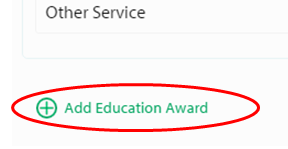
Click the green +Add Education Award located at the bottom of the page, below the slot and hours questions, enter the date award was received and click Save. This date should be the last day they earned service hours/ their exit date from eGrants.
To Edit or Remove an Education Award
Click into the Education Award Date field to edit the date or remove the award. If editing the date, remember to click Save when you are done. To remove the award, click Remove Ed Award and Confirm Delete.
Note: Be careful not to click Remove Slot if you only wish to remove the Education Award, as both buttons are located near each other.
Completing an AmeriCorps Member's Service
When your YouthBuild AmeriCorps members finish their service, there are two things that need to be recorded in DYB:
Their YouthBuild exit (see here for more on how to do that)
and how they completed their AmC hours.
A member completes their AmeriCorps service in one of three ways:
They finish all their hours successfully and receive a full Education Award.
They don’t finish their hours but receive a partial Education Award.
They leave their slot unsuccessfully, without finishing hours or receiving an Education Award. (See “To Cancel a Slot” on this page)
Note: Some programs regard both the completion of the AmeriCorps program and the YouthBuild exit to happen at the same time, while others do things differently. Sometimes a student can be exited from the YouthBuild program but still be completing AmeriCorps service hours.
Article Keywords/Questions: What is hours distribution; Complete service; Exit AmeriCorps; Exit AmC; Exit participant