

If you would like to change your username, name, email or password, you can do so while logged into DYB.
How to Change Your Username, Name or Email
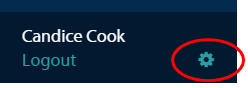
Click the gear icon next to your name in the lower left of the screen once you are logged into DYB and you will be brought to the My Account page. The icon will be there no matter what page in DYB you are on.
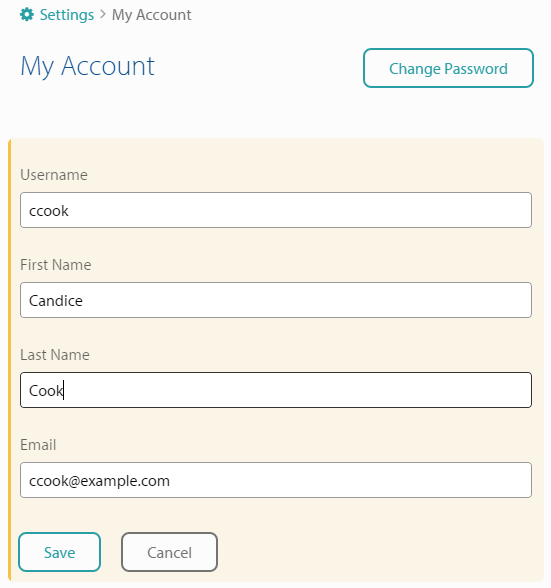
Once “My Account” appears. Click into the field that you would like to change, make edits and click Save.
How to Change Your Password
Click the Change Password button located to the upper right of the My Account page.
Enter your current password and then enter your new password. Click Save when you are done.
Note: Only users themselves can make changes to their username, name, email or password. If a user has forgotten their password, see Forgot / Reset Password.